
On Kinthia, you will find experts in the divinatory arts, selected by our team for their skills, but also for the empathy they show. That said, the golden rule on Kinthia is that none of our professionals will simply tell you what you want to hear. If you are looking to have your ego stroked (pardon the expression), you may want to look elsewhere.
How does a chat, phone or webcam consultation work?
At Kinthia, all consultations take place over your internet connection. When you click the "Start a psychic reading" button, you are connected with the expert of your choice. Once connected, take the time to set everything up properly. Nothing complicated. The expert will guide you if needed. You will find more details below, in the dedicated sections.
Phone consultation
At Kinthia, phone consultations take place over your internet connection. As a result, you do not need a phone number. On the other hand, you do need a smartphone, a tablet or a laptop with an internet connection (3G/4G/5G/Wi-Fi). But who doesn't own at least one of these 3 internet-connected devices these days? All 3 of them have a built-in microphone and speakers. If you have a desktop computer (a tower with a monitor), you will need a microphone with speakers, or a headset. A webcam can also act as a microphone.
During a phone or video call consultation, you can talk with the expert by voice or by chat. You can also send photos.
Step 1: You must be a member, logged in, and have purchased a pack
To create an account, visit the sign-up page, or go to the login page.
Find all our packs on the pricing page.
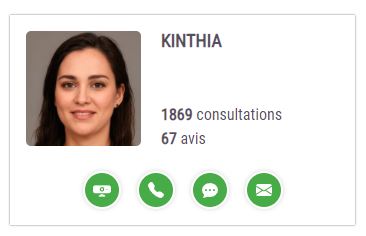
Step 2: Click the phone icon of the expert of your choice
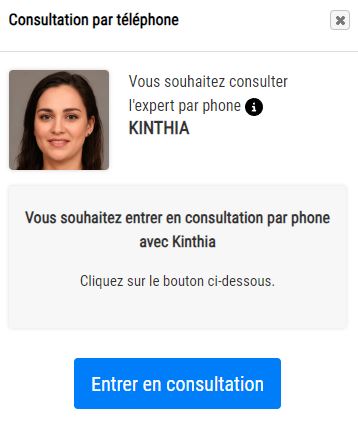
Step 3: Click the "Start a psychic reading" button
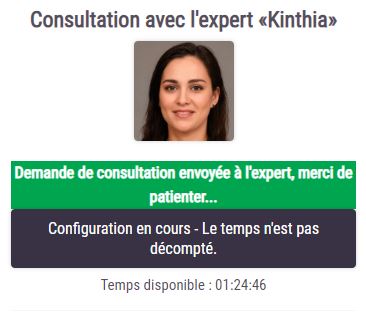
Step 4: Wait a few seconds
Wait a few seconds while the expert accepts the consultation. If the expert declines or does not pick up within 40 seconds, you will be redirected to the home page.
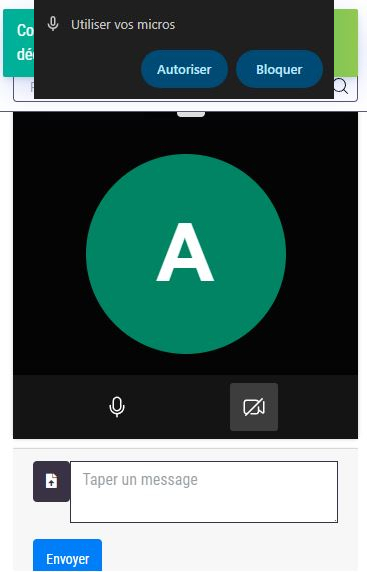
Step 5: Set up your equipment
You must allow access to your microphone by clicking the button that appears at the top of your screen. Otherwise, you will not be able to talk with the expert. If you can't get it to work, don't worry: you can also use the chat. Please note that while you are setting up your equipment, the clock is not running.
Step 6: The expert starts the consultation
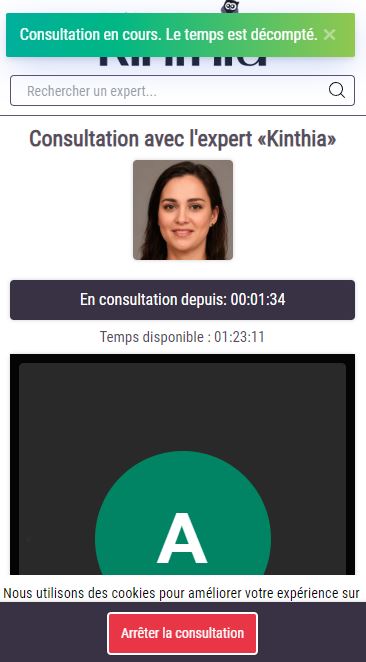
Once the setup is complete and everything is working, the expert starts the consultation by sending you a request. If you decline, the consultation ends. If you accept, the consultation begins.
Step 7: End the consultation
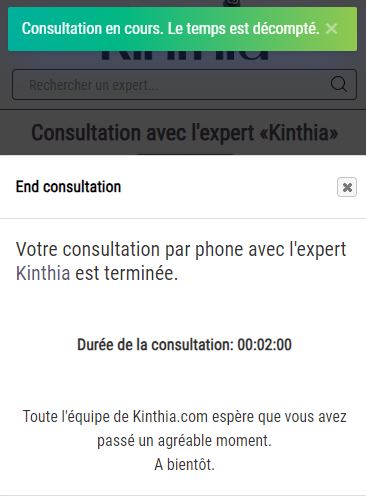
Want to end the consultation? Nothing could be easier: click the "Stop psychic reading" button. No need to worry. If your internet connection drops, the consultation ends. If you close your browser, the consultation ends.
Webcam / video call consultation
A webcam / video call consultation lets you see and hear the expert live. If you wish, you can also show yourself on your webcam. It makes the session more personal, but it is not required.
During a webcam consultation, you can talk with the expert by voice or by chat. You can also send photos.
Step 1: You must be a member, logged in, and have purchased a pack
To create an account, visit the sign-up page, or go to the login page.
Find all our packs on the pricing page.
Step 2: Click the webcam icon of the expert of your choice
Step 3: Click the "Start a psychic reading" button
Step 4: Wait a few seconds
Wait a few seconds while the expert accepts the consultation. If the expert declines or does not pick up within 40 seconds, you will be redirected to the home page.
Step 5: Set up your equipment
You must allow access to your microphone by clicking the button that appears at the top of your screen. Otherwise, you will not be able to talk with the expert. If you can't get it to work, don't worry: you can also use the chat. If you have turned on your webcam so that the expert can see you, you must also allow access to your webcam. Please note that while you are setting up your equipment, the clock is not running.
Step 6: The expert starts the consultation
Once the setup is complete and everything is working, the expert starts the consultation by sending you a request. If you decline, the consultation ends. If you accept, the consultation begins.
Step 7: End the consultation
Want to end the consultation? Nothing could be easier: click the "Stop psychic reading" button. No need to worry. If your internet connection drops, the consultation ends. If you close your browser, the consultation ends.
Chat consultation
A chat consultation lets you communicate live, in writing, with the expert of your choice. You can also send photos.
Step 1: You must be a member, logged in, and have purchased a pack
To create an account, visit the sign-up page, or go to the login page.
Find all our packs on the pricing page.
Step 2: Click the chat icon of the expert of your choice
Step 3: Click the "Start a psychic reading" button
Step 4: Wait a few seconds
Wait a few seconds while the expert accepts the consultation. If the expert declines or does not pick up within 40 seconds, you will be redirected to the home page.
Step 5: Set up your equipment
No special setup is needed. Type a few words to greet the expert and check that everything is working properly. You can send photos if needed. Please note that while you are setting up your equipment, the clock is not running.
Step 6: The expert starts the consultation
Once the setup is complete and everything is working, the expert starts the consultation by sending you a request. If you decline, the consultation ends. If you accept, the consultation begins.
Step 7: End the consultation
Want to end the consultation? Nothing could be easier: click the "Stop psychic reading" button. No need to worry. If your internet connection drops, the consultation ends. If you close your browser, the consultation ends.
Email consultation (question / service)
Unlike the 3 other types of consultation, an email consultation is usually not live. The expert receives your request and replies as quickly as possible (within a few hours to 48h/72h, depending on the service). A birth chart, for instance, can take several hours or even longer, given the complexity of the work carried out by the expert. We always make sure to tell you how long it will take, so that you are never left in the dark. In any case, you can communicate with the expert through the internal messaging system. You can also send photos.
No results
Try another word or contact our team